Meetings, recapped.
Record a meeting or share a recording from Zoom, Teams or WhatsApp. Pythia Recap writes the transcript, the summary, the decisions and your task list. You decide who said what.
For Android. Try free for 7 days or 3 meetings. Needs your own free Groq key.
What you get
- Record or share
- Record in the room, or share audio and video from Zoom, Teams, Meet, WhatsApp or your voice recorder. Long meetings are no problem.
- Summary and tasks
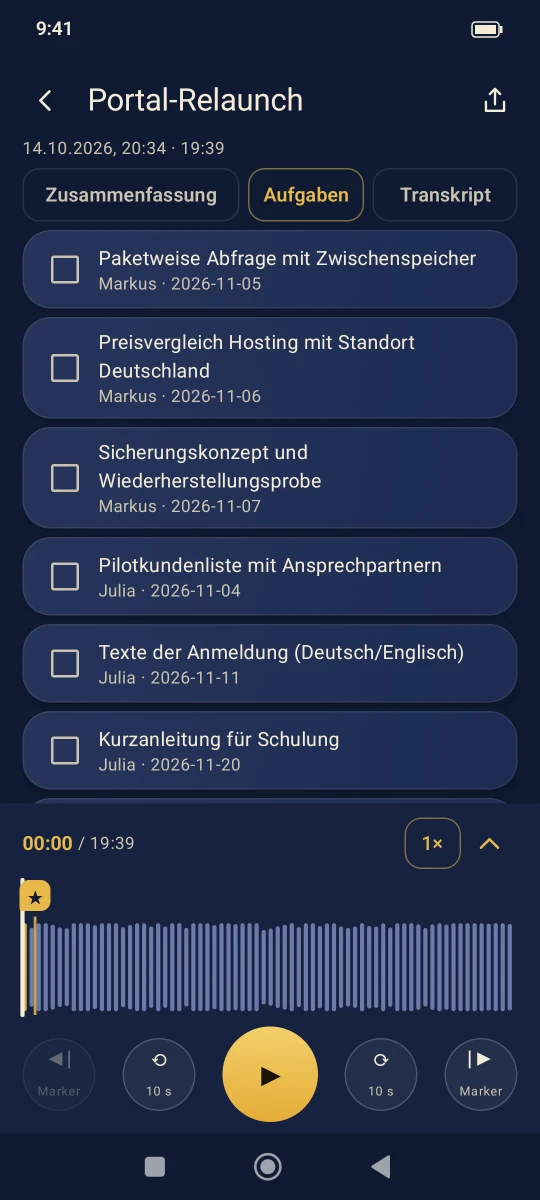
- A short summary, decisions, open questions and a task list with who and when. Share it as text or PDF.
- Who said what
- Assign speakers by timestamp. One tap covers everything until the next speaker change, and the summary then uses the real names.
- Markers and scrubbing
- Set markers while recording: important, task, speaker change. Later jump to them and scrub precisely with your thumb.
- Your key, your data
- Meetings stay on your phone. Audio and text go to Groq with your own free key. We run no server in between and see nothing.
- Pay once
- Pay once, no subscription. Many comparable apps charge a monthly fee instead.
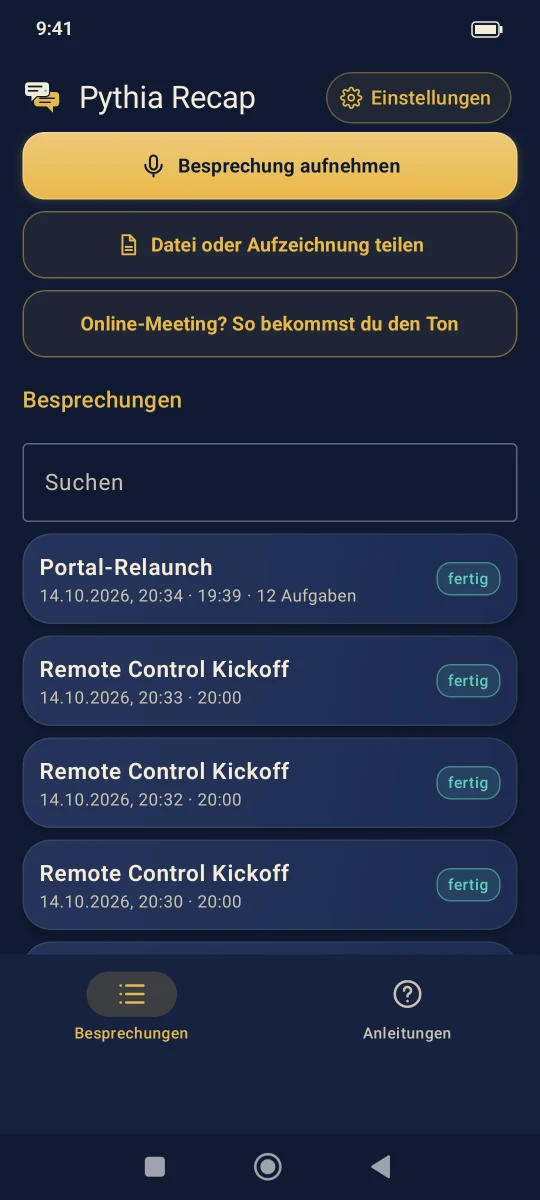
The app in action
How it works
- Record or shareTap record and put the phone on the table, or share a recording with the app.
- Wait a few minutesPythia Recap transcribes and summarizes. It keeps working when you close the app.
- Check and shareAssign speakers, jump to markers, then send the summary as text or PDF.
Find the right spot with your thumb
A long meeting is hard to search. Pythia Recap shows the whole meeting and a close-up of two minutes, with large markers you can actually hit.
- Markers are 48 dp touch targets: tap to jump to five seconds before
- Drag the close-up to scrub precisely, with a magnifier that shows time and text
- Snaps to markers, vibrates when you pass one, speed from 1× to 2×
From recording to recap · Weekly planning
Good morning everyone, let’s start with next week’s planning.
I need the stock numbers by Friday, otherwise I can’t order.
★ Summary: stock numbers needed by Friday
☑ Send stock numbers (Anna, tomorrow morning)
Online meetings: how to get the sound
Android does not let apps record Zoom, Teams or Meet directly. These are the ways to get an audio track:
- Zoom: record locally and share the audio-only file (m4a).
- Microsoft Teams: share the recording from OneDrive or SharePoint.
- Google Meet: share the recording from Google Drive.
- Windows or Mac: record the system sound with OBS, Audacity or BlackHole.
- Nothing else works: put the phone next to the laptop (laptop mode).
Always tell everyone that you record and get their consent first. Recording without consent can be a criminal offence.
One license. Pay once.
No subscription, no hidden costs. You pay once and keep it for life.
Pythia RecapMeetings and voice notes, recapped.
€19.99One-time payment in euros.
- Try free for 7 days or 3 meetings
- No limit on length or number of meetings after purchase
- Transcript, summary, tasks, speakers, markers, PDF export
- One license for one phone, can be moved on request
- Updates included
Frequently asked questions
Do I need an account?
No. You need the app and your own free Groq key. We run no accounts and no servers for your meetings.
What does Groq cost?
Groq offers a free tier that is enough for many meetings. Its limits can pause very long jobs for a while. Beyond that, usage costs a few cents per hour of audio.
Can it record Zoom or Teams directly?
Android does not allow that for apps. Use the recording of the meeting software, the system sound on your computer, or laptop mode. The guides in the app explain each way.
Does it detect who is speaking?
Not automatically. You assign speakers in a few taps, and one choice covers everything until the next speaker change. Markers set while recording make it faster.
What happens to my data?
Meetings are stored on your phone. For transcription and summary, audio and text are sent to Groq in the USA with your key. Groq does not keep them by default and may log requests for up to 30 days.
Which languages work?
Speech recognition works in more than 90 languages and detects the language automatically. The summary can be written in the language you choose.
Try it free for 7 days.
No account, no subscription. If you like it, you pay once.